
Introducing ClusterIQ: A Practical Tool for Real-World Hyper-V and Azure Local Operations
Why I built it, what problem it solves, and how it actually helps day-to-day.
The Problem: Too Many Tools, Not Enough Context
In a typical environment, especially anything beyond a small cluster, you’re juggling:
- Sizing for Migrations
- Cluster state
- VM placement and ownership
- Live migration behavior
- Performance data (host and guest)
- Storage (S2D / Azure Local)
The issue isn’t that you can’t get this information — it’s that it’s scattered, inconsistent, and often not in sync when you need it.
The most common scenario I ran into:
- Trigger a live migration
- Wait for it to complete
- UI doesn’t reflect the change
- Open PowerShell to verify
- Go back and manually refresh everything
That loop gets old fast.
The Solution: A Focused Operational Tool
ClusterIQ isn’t trying to replace existing tools. It’s designed to sit alongside them and give you a clean, real-time operational view with the actions you actually use most.
The goal was simple:
- See what’s happening
- Act on it
- Verify it worked
Without jumping between five different consoles.
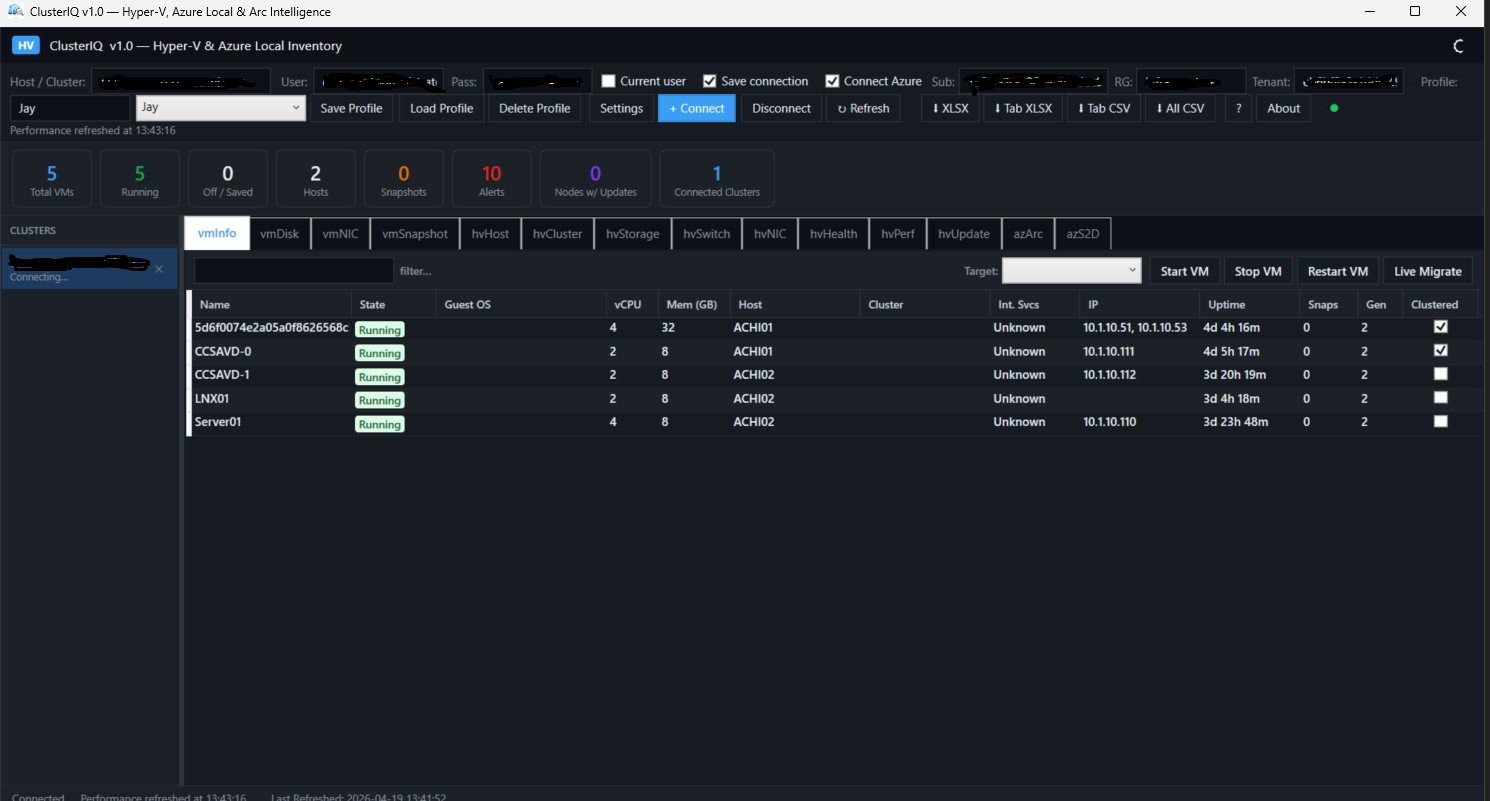
Cluster Visibility
The cluster view gives you a quick read on node state and overall health. Nothing fancy — just the information you actually care about when something looks off.
VM Operations That Actually Reflect Reality
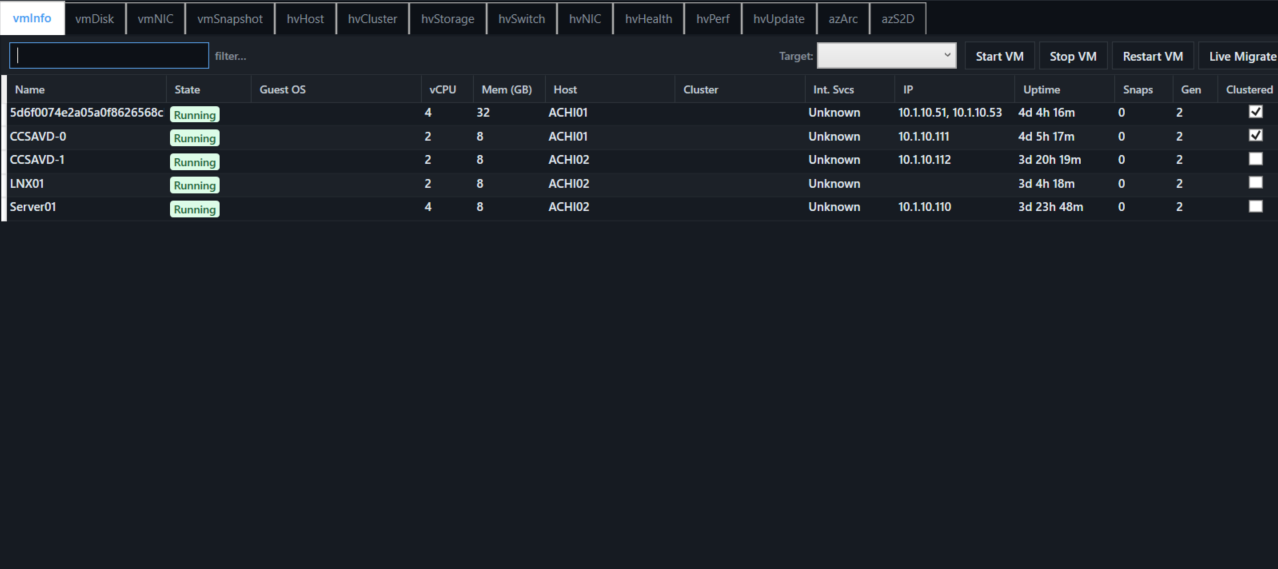
The VM view is where most of the work happens.
You get:
- Current VM owner
- Power state
- Direct actions (Start / Stop / Restart)
- Cluster-aware live migration
Live migration uses the same underlying logic you’d use in PowerShell:
Move-ClusterVirtualMachineRoleThat means you’re not doing a basic move — you’re doing a proper cluster operation.
You can also control authentication behavior:
- Kerberos (recommended)
- CredSSP (fallback)
And most importantly — when it completes, the UI reflects it.
Performance Without the Guesswork
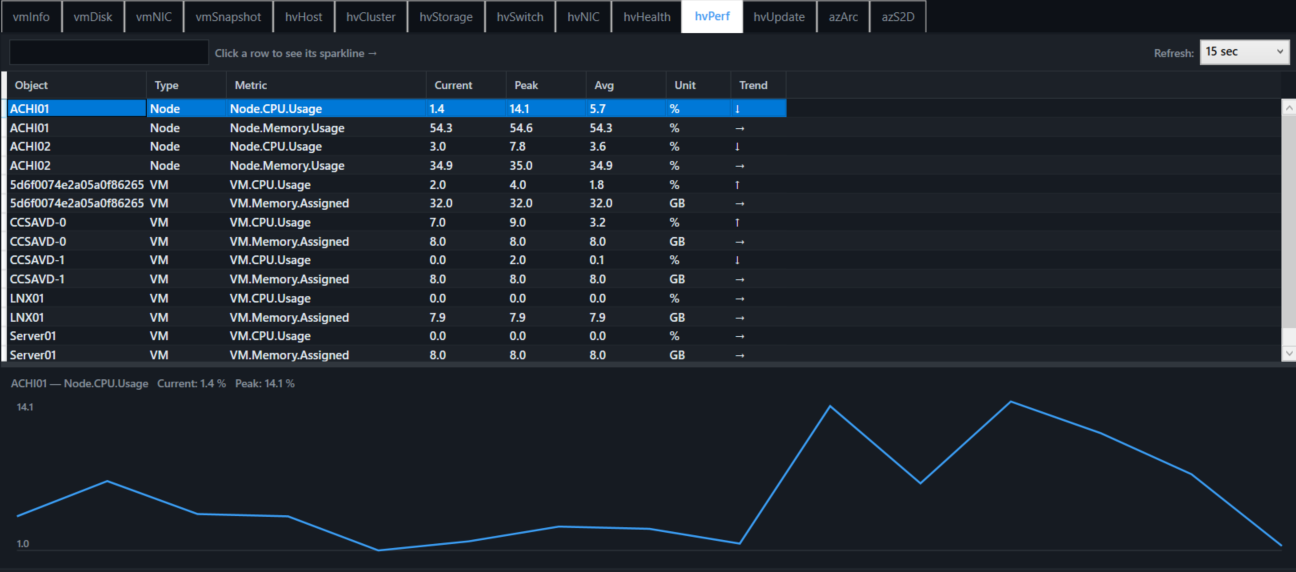
Performance is another area where things get fragmented quickly.
ClusterIQ pulls together:
- Host CPU usage
- VM CPU usage
- Memory utilization
Presented in simple graphs with a configurable refresh interval.
It’s not meant to replace deep monitoring tools — it’s meant to answer:
“Is something wrong right now?”
Azure Local / S2D Visibility
Storage Spaces Direct and Azure Local environments bring their own set of challenges, especially across different versions and configurations.
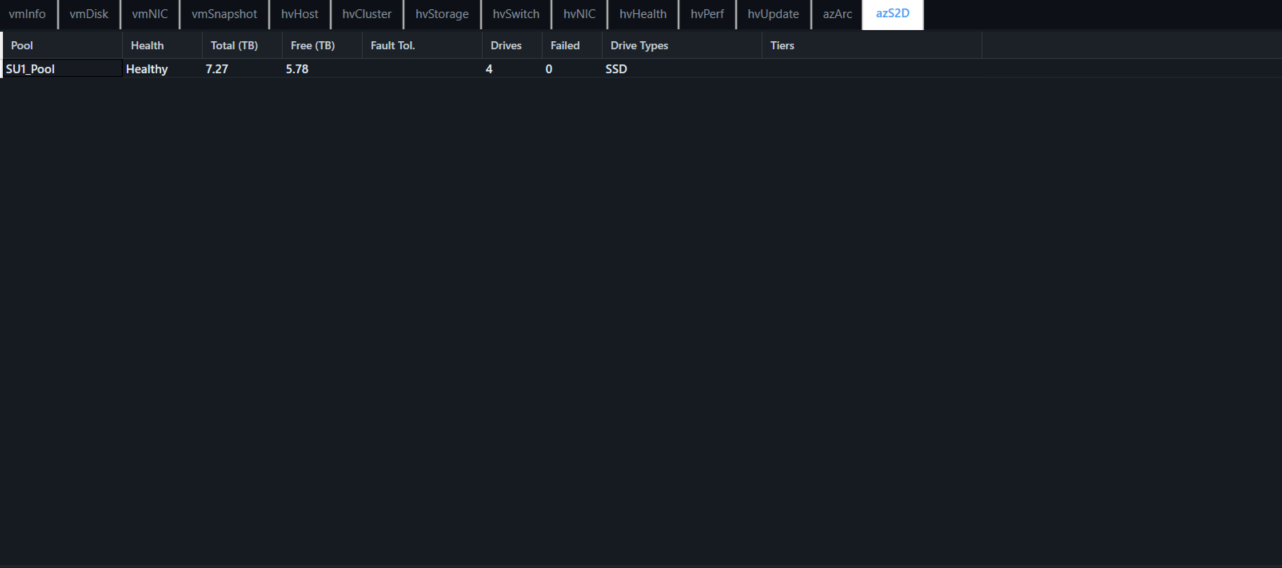
The AZS2D tab focuses on:
- Storage pools
- Disk health
- Capacity insights
It also handles version differences gracefully, which is something you run into more often than you’d expect.
Exporting Data When You Need It
Every tab supports exporting the current view to CSV or Excel.
No extra configuration, no selecting datasets — just export what you’re looking at.
That’s been surprisingly useful for quick reporting and troubleshooting.
Updates Without the Hassle
ClusterIQ is distributed through GitHub Releases, and the application can check for updates automatically.
The process is straightforward:
- Check GitHub for the latest version
- Download the updated executable
- Replace the current version
- Restart
No installers, no upgrade paths — just replace and go.
How It’s Built and Delivered
Private Source (Azure DevOps)
        ↓
CI/CD Pipeline
        ↓
GitHub Releases (Public)
        ↓
ClusterIQ Application
The source stays private, while the binaries and documentation are published publicly. It keeps the workflow clean and makes updates simple.
Final Thoughts
This isn’t meant to be a massive platform or a replacement for everything else.
It’s a focused tool built around real operational pain points:
- Quick visibility
- Reliable actions
- Accurate feedback
If you spend your time working in Hyper-V clusters or Azure Local environments, you’ll probably recognize the scenarios it’s built for.
And if it saves you a few minutes every time you need to check something or move a VM, then it’s doing exactly what it was designed to do.
 Download the latest version:
https://github.com/jaycalderwood/ClusterIQ/releases/latest
